


What Is HubSpot Agent Hub?
HubSpot Agent Hub is the workspace inside HubSpot where you activate, configure and monitor every AI agent in your account. It's included with Starter, Professional and Enterprise, and agents need HubSpot Credits to run.
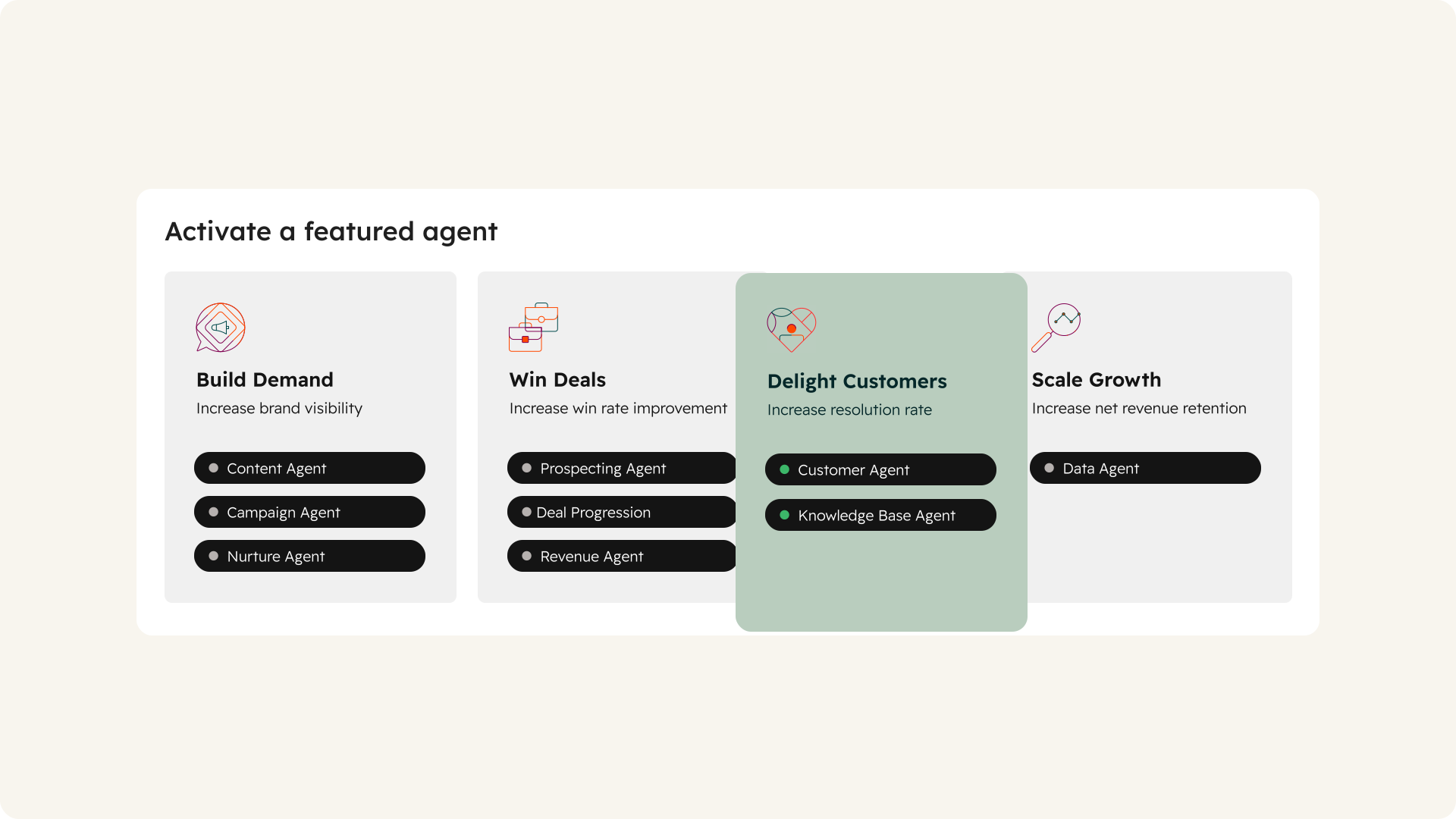
Prebuilt Agents
HubSpot-built agents cover marketing, sales, customer service and data, from the Campaign, Content and Nurture agents to the Prospecting, Revenue, Customer and Data agents. You switch them on and shape how they behave.
Agent Builder
Custom agents start here. You give them instructions, knowledge and CRM data, and they work around your process without code.
Context and Knowledge Vaults
Your messaging, tone, brand and ICPs live in one place, alongside knowledge vaults for product and support detail. Every agent reads from it.
Agent Inbox and Run History
You run agents and review their output in the agent inbox, and each custom agent's run history shows the estimated credits for every run.
Read More: HubSpot Agent Hub and Claude, How They Work Together
HubSpot AI Agents vs. Workflows
Workflows follow rules. Agents interpret. Both automate work inside HubSpot, but they solve different problems.
Workflows Handle the Predictable
When a form is submitted, the lead gets assigned. When a deal stalls, a task gets created. Workflows do exactly what they're told, every time, and they don't use HubSpot Credits.
Agents Handle Judgment
Qualifying an inbound lead or preparing a pre-call brief depends on context that changes every time. Agents read the record, the call notes and the email thread, then decide within your limits.
Credits Follow the Judgment
Custom agents use HubSpot Credits each time they think or take an action. An agent doing a workflow's job pays for reasoning it doesn't need.
|
Workflow |
AI agent |
|
|---|---|---|
|
How it decides |
follows the rules you set |
reads context, then decides within your limits |
|
Best for |
predictable if-then steps |
judgment calls |
|
HubSpot Credits |
not used |
custom agents use them on every run |
|
Example |
route a lead by territory |
read an inbound form, research the company, draft a reply |
Read More: HubSpot Workflows vs AI Agents: Which Job Needs Which
HubSpot's Prebuilt AI Agents
HubSpot groups its agents by team: marketing, sales, customer service and data. Each one is shaped by the data it can see.
HubSpot Marketing Agents
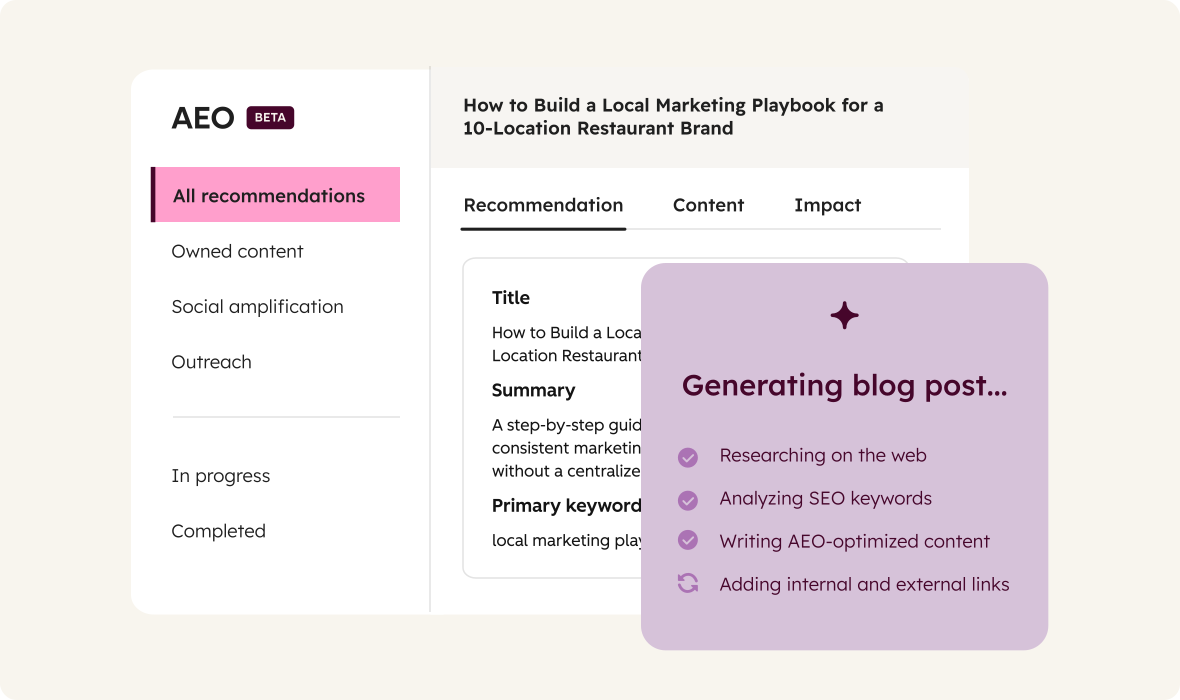
- Campaign Agent: plans, runs and measures campaigns in Marketing Studio, and drafts the forms, landing pages and marketing emails for them. Nothing publishes until you review it.
- Content Agent: drafts blog posts, LinkedIn posts, landing pages and campaign assets in your brand voice, including from AEO recommendations. It doesn't publish automatically.
- Nurture Agent: personalizes the subject line, preview text, CTA and body of automated marketing emails for each recipient, using CRM data and web research.
All three are in beta and need Marketing Hub Professional or Enterprise.
HubSpot Prospecting Agent
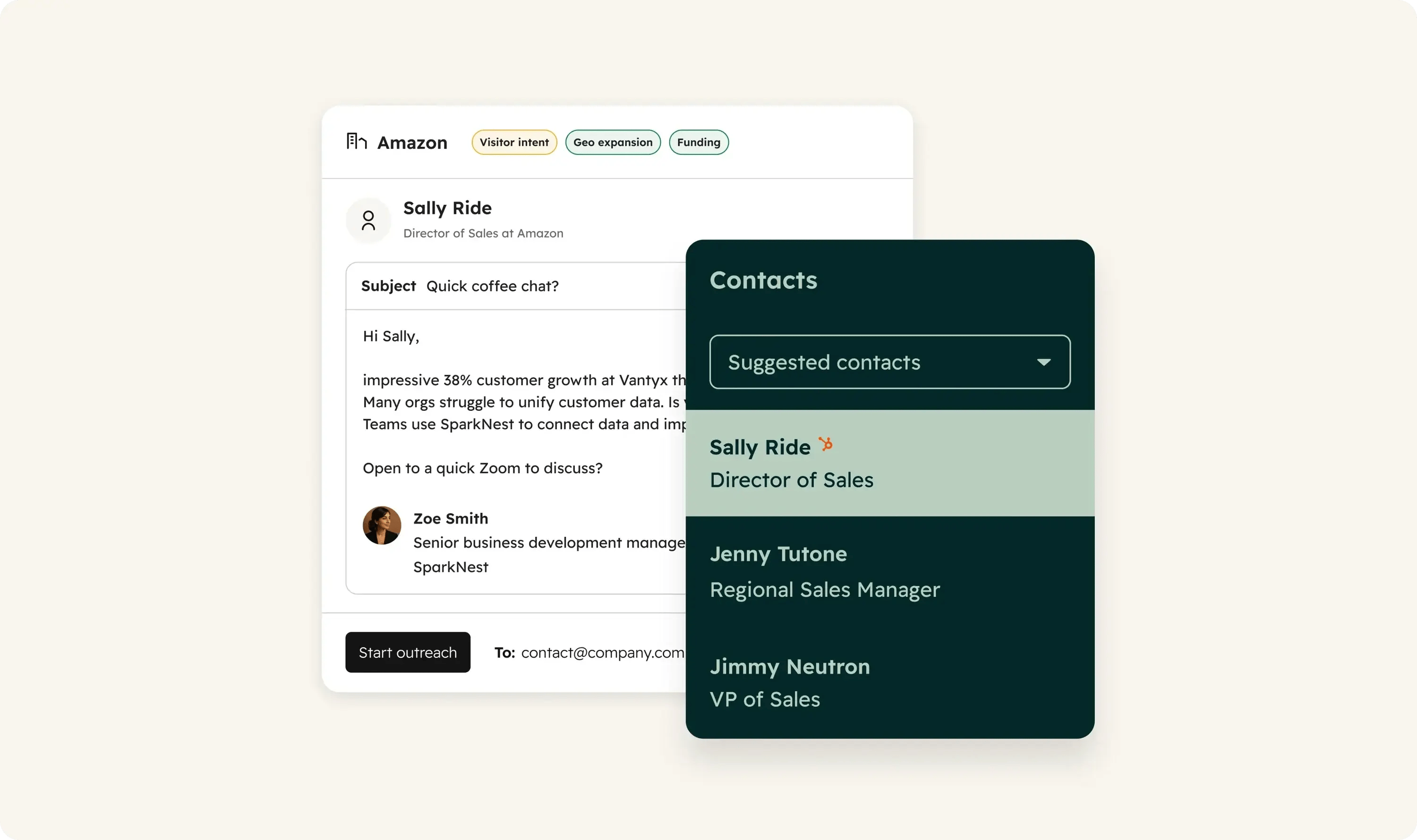
Watches the companies in the segments you select for buying signals, like funding news or product launches, finds the right contacts and drafts personalized outreach from your CRM data and those signals. Each email can wait for a rep's approval or send without review.
HubSpot Customer Agent
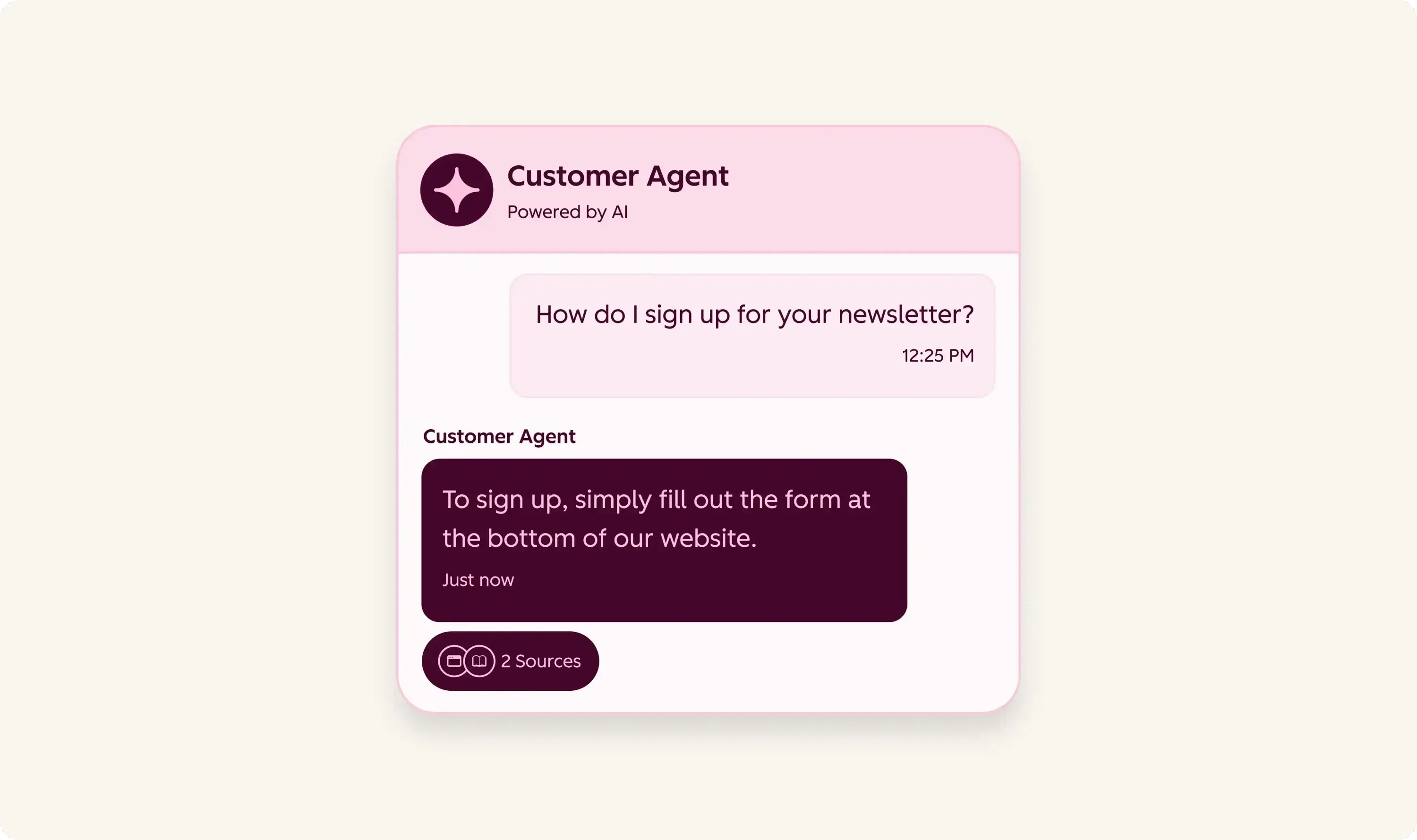
Answers customer questions across chat, email and messaging channels using your knowledge base articles, website pages and other content you add, and can take actions like booking a meeting. It hands conversations to your team when its confidence is low or a customer asks for a person. Available with Professional or Enterprise, and it uses credits only when it resolves a conversation.
HubSpot Data Agent
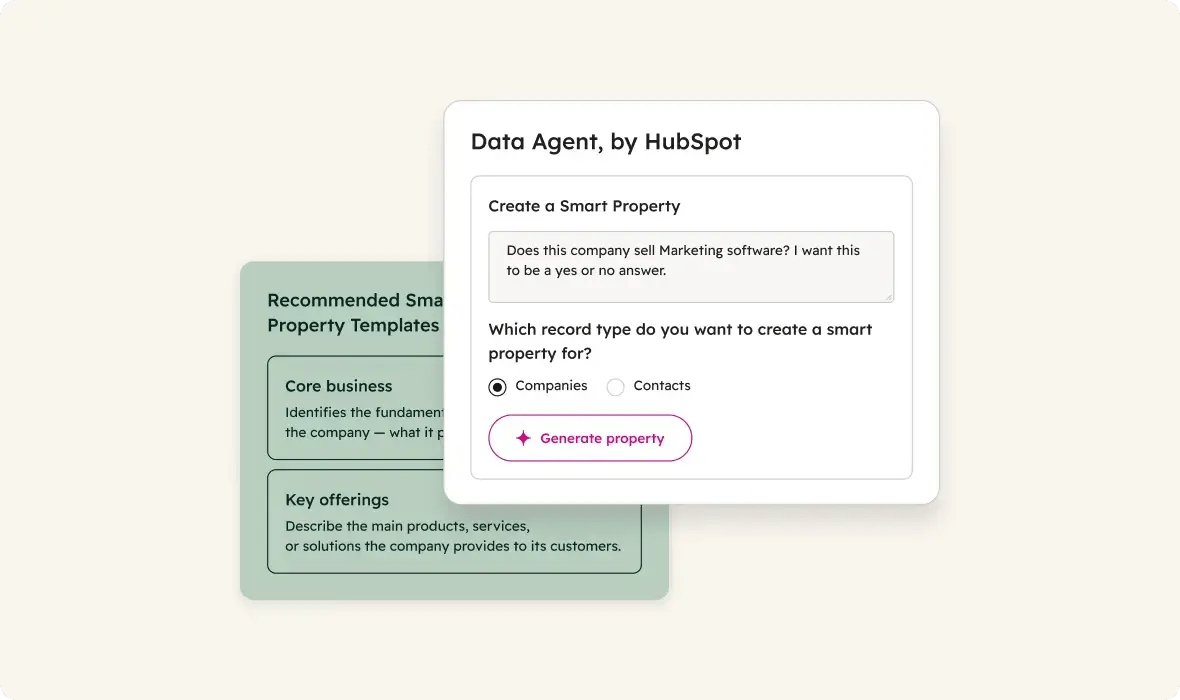
Answers questions and fills in data across your records through smart properties, workflow actions and Data Studio columns, drawing on web research, company websites, property data and call transcripts. Duplicates and outdated properties shape what it returns.
Breeze Assistant
Gives answers grounded in your CRM data and role, wherever you work in HubSpot.
HubSpot Revenue Agent
Monitors open invoices, follows up with buyers and escalates to your team when a payment stays outstanding. You can review every email before it sends. Currently in beta.
Smart Deal Progression and HubSpot AEO
Two AI features sit alongside the agents. Smart Deal Progression analyzes emails, calls and meeting transcripts to surface prioritized next best actions on deals, with Sales Hub Professional or Enterprise. HubSpot AEO runs your prompts against answer engines every day to show how your brand appears, with competitor analysis and prioritized recommendations. It needs Marketing Hub Professional or Enterprise, or a HubSpot AEO subscription.
Read More: HubSpot Data Agent: What It Answers Well and Where It Gets It Wrong
HubSpot Credits and AI Agent Costs
Agents need HubSpot Credits. Custom agents use credits each time they think or take an action, so spend grows with the work and the volume.
Workflows Don't Use Credits
Anything a rule can handle costs nothing extra to run as a workflow.
Testing Is Free
Agents can be tested against real records in Agent Builder without using credits.
Spend Is Visible and Capped
Run history shows the estimated credits for each run, and monthly run limits keep each agent inside a budget.
Credits Are Flexible
Credits come in prepaid packs or pay-as-you-go.
Read More: HubSpot Credits Explained: What Agents Cost and How to Cap Them
Custom Agents in HubSpot Agent Builder
Prebuilt agents cover common jobs. Agent Builder covers yours.
Instructions
The agent's role, goal, approach and expected output.
Knowledge
Knowledge vaults, default context like your brand kit and ICPs, and integrations.
Actions
HubSpot actions, browsing the web, reading and writing CRM records, or reaching outside systems through MCP.
Triggers
A workflow (Professional and Enterprise), an automation (Starter) or a CRM card starts each run.
Access and Limits
Super Admins and users with Agent Builder permission create agents, and every agent can carry a monthly run limit.
Read More: How to Build a Custom Agent in HubSpot Agent Builder
HubSpot MCP and Systems Outside HubSpot
Revenue data rarely lives in one system. Orders sit in the ERP, contracts in document libraries, usage in product databases.
MCP Servers Connect Agents to Other Systems
Agent Builder reaches outside systems through MCP (Model Context Protocol) servers, added to an agent as actions.
Custom MCP Servers Fill the Gaps
When a system has no MCP server, one gets built. Each one wraps a single system with its own credentials, so the agent only reaches what you allow.
Read More: HubSpot MCP Server: What It Does and When You Need a Custom One
Claude and HubSpot Agent Hub
HubSpot agents are strongest on HubSpot data. Claude is strongest at pulling from many sources and producing finished work.

HubSpot Supplies the Trigger and the Customer
A deal reaches a stage or a meeting gets booked, and HubSpot provides the customer context.
Claude Supplies the Reach and the Output
Claude reads and updates HubSpot data through HubSpot's official connector, reaches your other systems through its own connectors, and produces the proposal draft or the pre-call brief.
Access Stays Under Your Control
The HubSpot connector for Claude respects each user's existing HubSpot permissions, and the records it creates or updates are recorded in HubSpot's audit log.
Read More: How to Connect Claude to HubSpot (and What to Use It For) · ATAK AI Services