Table of Contents
"HubSpot MCP" means two different things, and most of the confusion comes from mixing them up.
The first is HubSpot's remote MCP server. It lets outside AI tools like Claude, ChatGPT, Gemini and Microsoft Copilot read and update your HubSpot records. The second is MCP inside HubSpot's Agent Builder, which lets HubSpot's own agents reach systems outside HubSpot. One brings AI into HubSpot. The other sends HubSpot's agents out.
You need a custom MCP server when the system on the other end doesn't have one. That's most ERPs, most internal databases and most of the tools a mid-market company built for itself.
What Is MCP?

MCP stands for Model Context Protocol. It's a standard way for an AI model to connect to an outside system: what tools that system offers, what data it can return, and what actions the AI is allowed to take.
Before MCP, every AI-to-system connection was its own custom integration. With MCP, a system exposes a server once, and any AI client that speaks MCP can use it, inside whatever permissions the server allows.
The server is the part that matters. It decides what the AI can see and do.
What Is HubSpot's Remote MCP Server?
HubSpot's developer documentation describes it as a publicly hosted endpoint for connecting external AI tools and applications to HubSpot's CRM. A few facts from that page:
- It lets an agent read, write and update HubSpot records like contacts, companies, deals and tickets.
- It authenticates with OAuth. The user signs in when prompted and the AI tool handles the flow, so nobody manages tokens by hand.
- Access is limited by OAuth scopes, which set what a connected app can do.
- HubSpot's own connectors for Claude, Microsoft Copilot, Gemini and ChatGPT run on it.
HubSpot separates this from its Developer MCP server. The developer server helps people build on HubSpot's platform. The remote server is for agents taking actions inside a user's HubSpot account on that user's behalf.
If you use the HubSpot connector in Claude, you're already using the remote MCP server. You just didn't have to configure it.
How Agent Builder Uses MCP
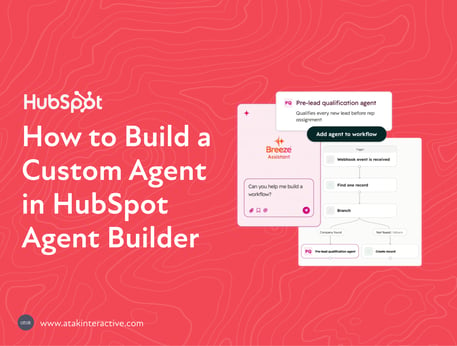
This is the other direction. HubSpot's Agent Builder documentation lists three kinds of actions you can give a custom agent: HubSpot actions, default actions (browsing the web, reading CRM records, writing CRM records) and MCP. The MCP tab connects external systems through the Model Context Protocol.
In practice, that's how a HubSpot agent can check inventory in an ERP before it drafts a quote, or look up a customer's product usage before it flags a renewal risk. The agent stays in HubSpot. The MCP server does the reaching.
The catch is the same one every integration has. The system on the other end needs an MCP server, and somebody has to run it.
Which One Do You Need?
|
You want |
Use |
Who sets it up |
|---|---|---|
|
Claude, ChatGPT, Gemini or Copilot to work with HubSpot data |
HubSpot's remote MCP server, through that tool's HubSpot connector |
A HubSpot Super Admin approves it |
|
A HubSpot agent to read or act on another system |
An MCP server for that system, added as an action in Agent Builder |
Whoever owns the other system, or a developer |
|
A HubSpot agent to reach a system with no MCP server |
A custom MCP server |
A developer |
Most teams start in the first row and don't realize the third row exists until a project needs ERP data.
When You Need a Custom MCP Server
Some tools ship with an MCP server. Many don't. The ones that usually don't are the ones revenue teams care about most: the ERP that holds orders and pricing, the billing system, the product database, the internal tool somebody built years ago that still runs half of operations.
If an agent needs that data and the system has no MCP server, there are three options. Copy the data into HubSpot on a schedule, which goes stale. Skip the use case. Or build an MCP server for the system.
The third option is the only one that gives the agent live data with controlled access.
How a Custom MCP Server Should Be Built
A few rules we hold to. None of them are exotic, and all of them get skipped when a project is in a hurry.
One system per server, with its own credentials. Don't build one server that talks to everything. A server that wraps only the ERP, with credentials that only reach the ERP, is easy to reason about and easy to shut off.
Expose the smallest set of actions that does the job. If the agent needs to look up an order's status, give it an order status lookup. Not general database access.
Read before write. Start with read-only tools. Add write actions only after the read side has run long enough that you trust what the agent does with it.
Log every call. You want to answer "what did the agent ask for, and what did it get back?" without guessing. HubSpot logs connector writes in its own Audit Log. Your server should do the same on its side.
Validate inputs like any public endpoint. An AI client is still a client. Treat what it sends the same way you'd treat any other input from outside.
What MCP Doesn't Fix
MCP solves the connection. It doesn't solve the data.
If the ERP has three customer records for the same company and none of them match HubSpot, an agent with perfect MCP access will still give you a confused answer. Clean matching keys between systems, usually a domain or a customer ID that both sides share, matter more than the protocol.
Permissions are the other thing MCP won't decide for you. The server enforces whatever access you design. If you design it wide open, it's wide open.
What to Do First
List the three questions your team most wants an agent to answer that HubSpot data alone can't. For each one, write down which system holds the missing data and whether that system already has an MCP server. That list is your integration plan, and it's usually shorter than people expect.
For how MCP fits with HubSpot's agents, credits and Claude, see the full breakdown of HubSpot Agent Hub. If a system on your list has no MCP server, that's HubSpot custom development work we do.
FAQs