Table of Contents
The real worry about AI content isn't that it's bad, exactly. It's that it sounds like everyone else's.
That worry is fair, and it's the right lens for HubSpot's Content Agent. The Content Agent drafts blog posts, social posts, LinkedIn articles, landing pages and campaign assets inside HubSpot, using your account data, your brand voice settings and your business context. It can also turn a HubSpot AEO recommendation into a draft. It never publishes on its own. It's in beta, it needs Marketing Hub Professional or Enterprise, and it uses HubSpot Credits for each piece it generates.
Whether it sounds like you comes down to one thing: what you've told HubSpot about your brand before you press the button.
What Is the HubSpot Content Agent?
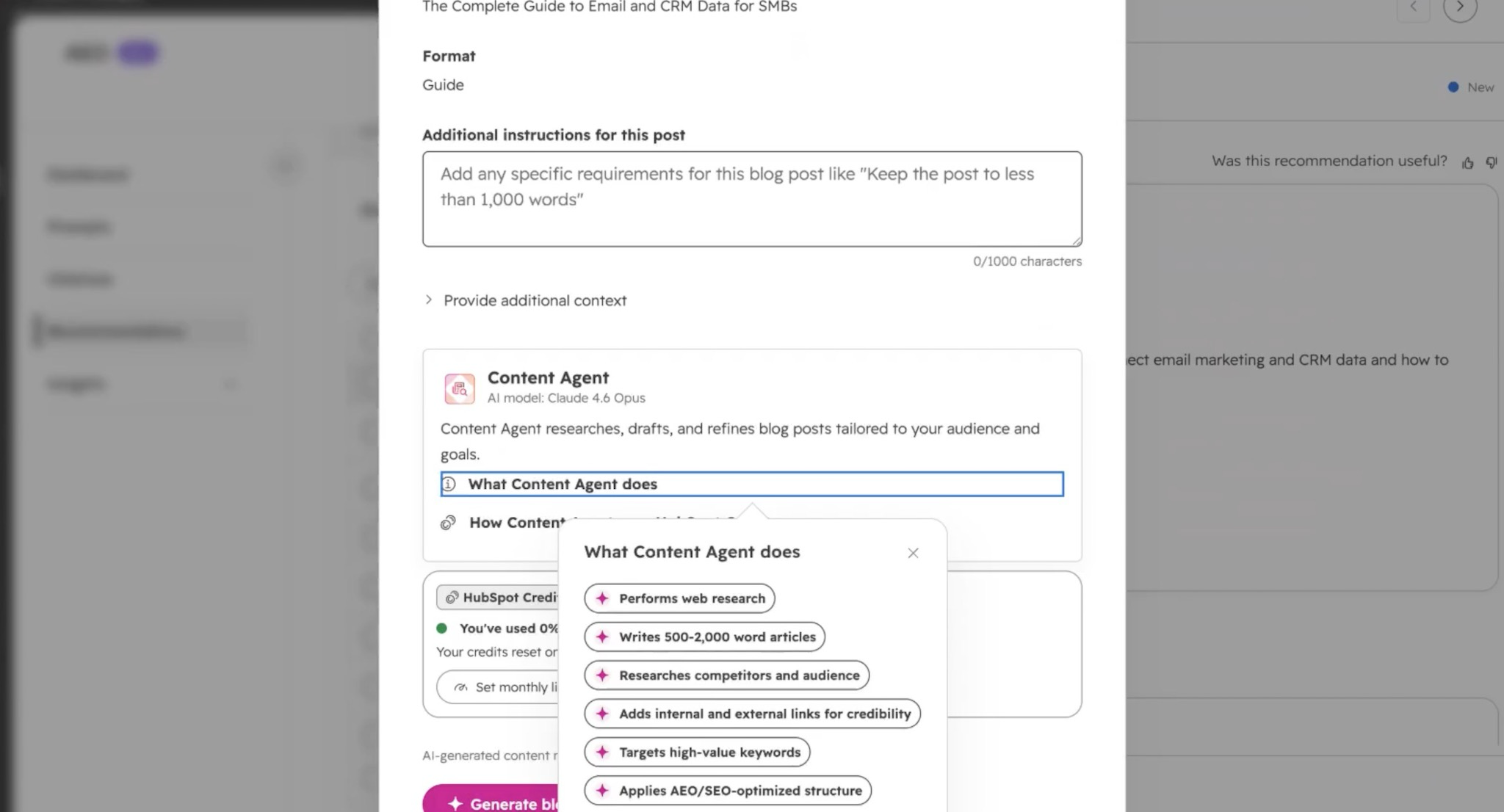
HubSpot's AI page lists the Content Agent as one of three marketing agents, alongside the Campaign Agent and the Nurture Agent, and describes it as building blog posts, social content and landing pages in your brand voice.
HubSpot's Content Agent documentation is more precise. It calls the Content Agent a collection of AI-powered content creation tools built into HubSpot. That's worth knowing. It isn't one screen you open. It shows up inside the tools you already use, like the blog editor, the social tool and campaigns.
What the Content Agent Can Create
Per HubSpot's documentation, the Content Agent drafts:
- Blog posts
- LinkedIn posts and LinkedIn articles
- Social media posts
- Landing pages
- Campaign assets
Everything comes back as a draft. HubSpot is explicit that the Content Agent doesn't publish automatically, and that you review and edit each draft before it goes live.
Good news, friends. That's exactly how it should work.
Where Its Brand Voice Comes From
Here's the problem. The Content Agent writes from the brand voice settings and business context in your account. If those are empty or vague, it has nothing to sound like except the average of everything it's ever read. That average is the generic voice everyone is worried about.
The context lives in Agent Hub's Context tab, which HubSpot's Agent Hub documentation says holds your company messaging, tone, brand and ICPs. Every agent reads from it, not just the Content Agent.
So the most important setup step isn't in the Content Agent at all. It's writing down how your company sounds, who you sell to and what you'd never say. Plenty of companies have never written that down. The ones that have will get drafts that sound like them on the first try.
Content From AEO Recommendations
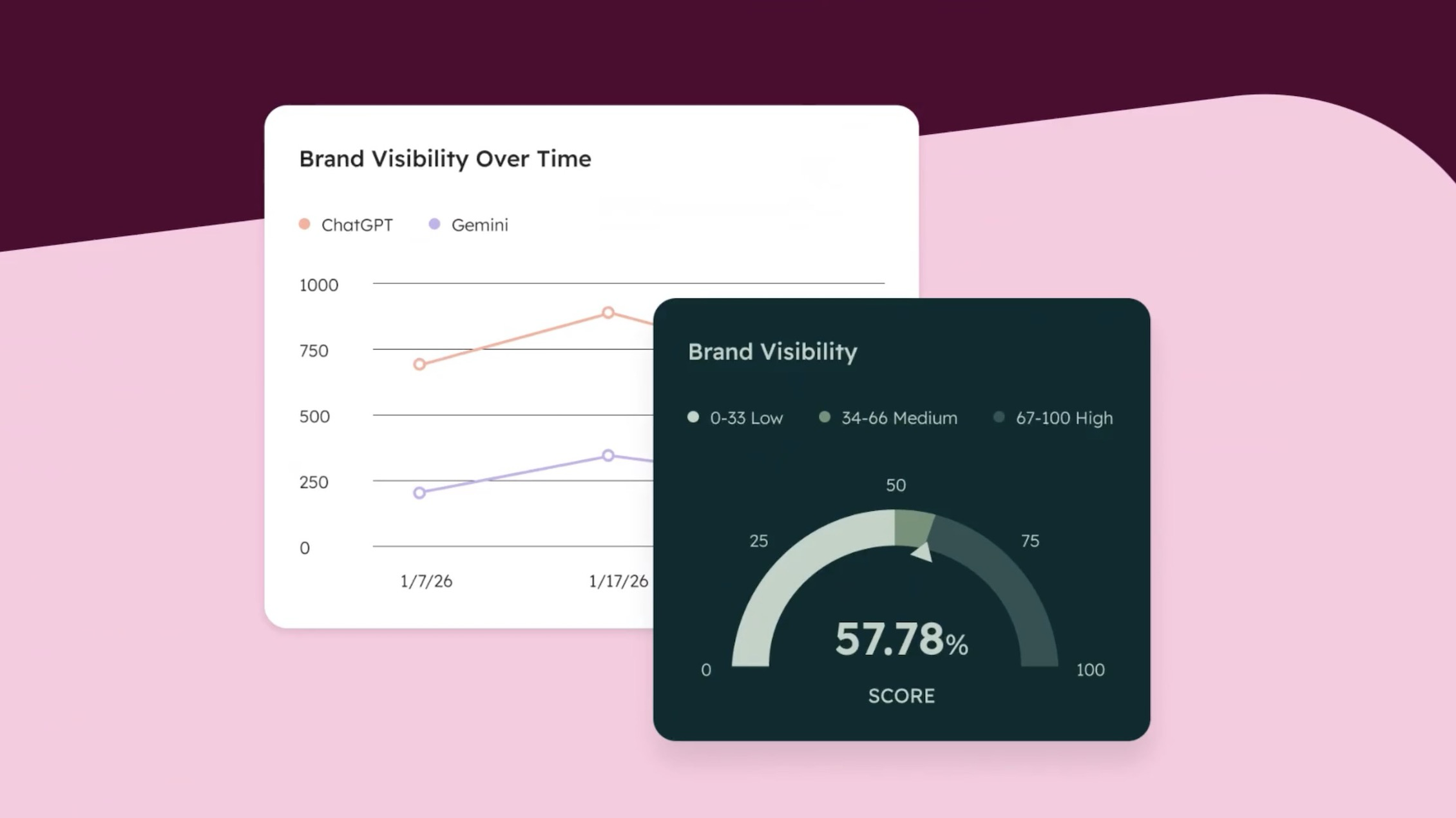
This is the part I'd pay the most attention to.
HubSpot AEO runs your prompts against answer engines every day, measures how your brand shows up, compares you with competitors and gives prioritized recommendations. The Content Agent can take one of those recommendations and turn it into a draft blog post or LinkedIn piece.
That closes a loop most teams never close. You see where your brand is missing from AI answers, and you can draft the content that fills the gap in the same place. HubSpot AEO needs Marketing Hub Professional or Enterprise, or a HubSpot AEO subscription.
If you want to go deeper on finding those gaps, I wrote about running a competitive AI visibility analysis, and we lay out the bigger picture in Search in 2026.
How to Set Up the Content Agent
Check the plan. HubSpot says the Content Agent requires Marketing Hub Professional or Enterprise, plus HubSpot Credits.
Turn on the AI settings. A Super Admin has to enable three settings in HubSpot's AI settings: access to generative AI tools, data from files, and access to Breeze Assistant.
Fill in your context. Messaging, tone, brand and ICPs in Agent Hub, and your brand voice settings. Be specific. "Professional and friendly" describes every company on earth. "We write like a senior consultant on a first call: direct, specific, a little dry" describes one.
Decide who reviews. Every draft needs an owner who edits it before it goes live. Name that person before the first draft exists.
Cap the credits. HubSpot says the Content Agent uses credits each time it generates a piece of content. Set a feature-level credit limit so content experiments don't eat credits your other agents need.
What a Person Still Owns
Here's the part the hot takes get wrong. The Content Agent doesn't replace your writers. It replaces the blank page.
What it can't supply is the stuff that makes content worth reading: what your team learned on a project, what a customer told you on a call, the opinion your competitors won't say out loud. That has to come from a person, and it's the part your buyers remember.
AI answer engines feel the same way. They cite pages that say something specific and checkable. A draft that only restates what's already out there has nothing new for them to cite.
What to Do First
Before you generate a single draft, open the Context tab in Agent Hub and read what's there. If it's empty or could describe any company in your industry, rewrite it. That one page will do more for the Content Agent's output than any prompt you write afterward.
The Content Agent is one of HubSpot's marketing agents. Here's the full breakdown of HubSpot Agent Hub, and if you want your context and brand voice set up properly, see how we set up HubSpot Agent Hub.
Let the agent write the first draft. Write the part only you know.
FAQs