Table of Contents
- 1.What Are HubSpot Credits?
- 2.How Many Credits Come With Your HubSpot Plan?
- 3.What Each HubSpot Agent Charges For
- 4.What Doesn't Use Credits
- 5.What Happens When You Use More Than Your Allowance
- 6.How to Cap HubSpot Credit Spend
- 7.How to Forecast Credits Before You Turn an Agent On
- 8.What to Do First
- 9.FAQs
Agent Hub is included in HubSpot Starter, Professional and Enterprise. The agents inside it aren't free to run. They use HubSpot Credits, and each agent charges for a different thing: a resolved conversation, a personalized email, an answer on one record, an invoice follow-up.
That's the whole reason credit bills surprise people. Nobody budgets for "credits." They budget for agents, and then find out each agent counts differently. Your plan includes a monthly allowance, unused credits don't roll over, and you can cap spend at the account and feature level. Most of those caps aren't on until someone turns them on.
Here's how it works, agent by agent, and how to keep the bill predictable.
What Are HubSpot Credits?
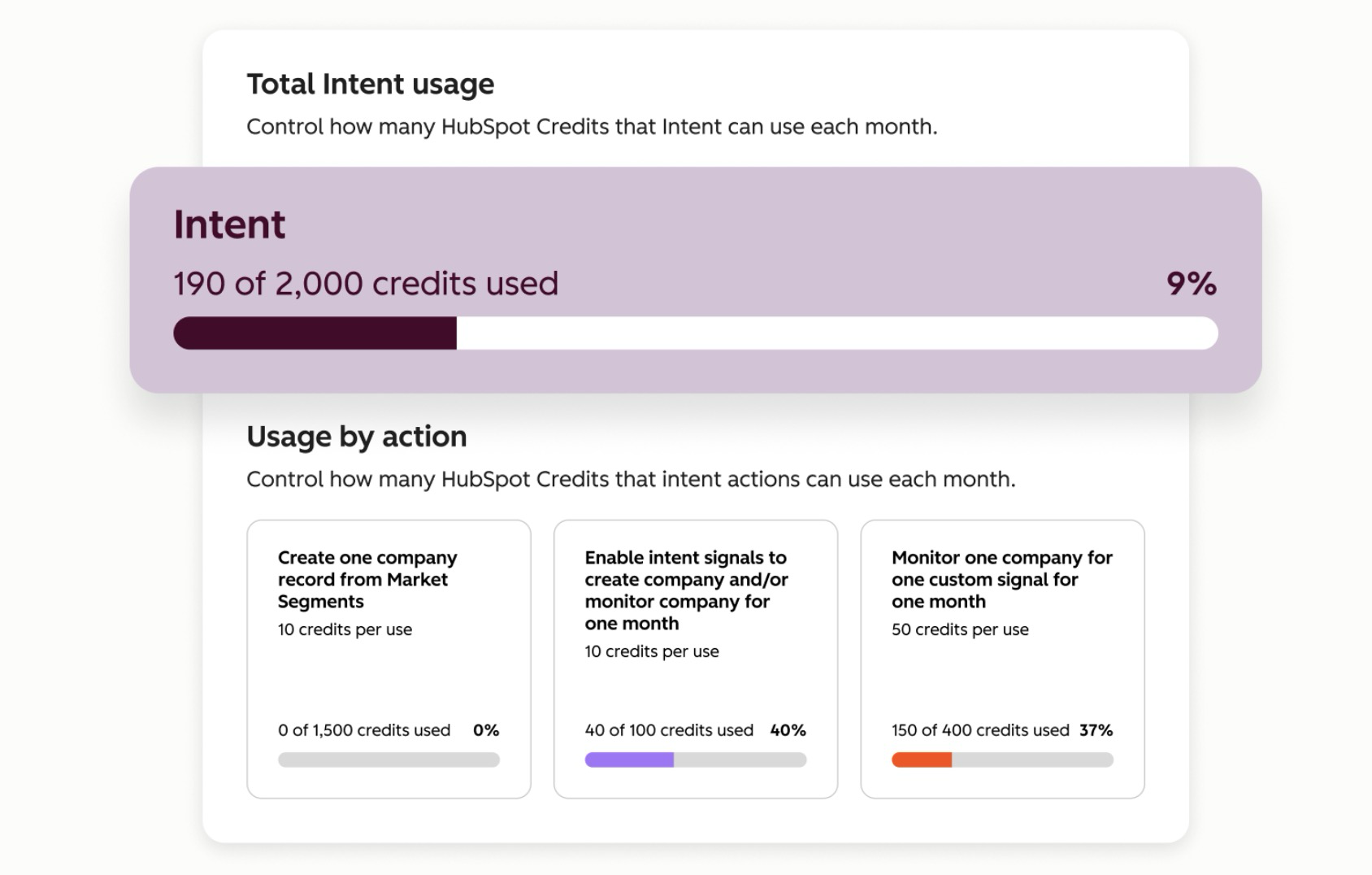
HubSpot Credits are the usage currency for HubSpot's AI features. According to HubSpot's credits and billing documentation, credits are required for usage-based features like the Customer Agent, Prospecting Agent, Data Agent and Data Studio syncs, and they're only used when a specific action runs.
The second half of that sentence matters. A credit isn't a subscription fee. An agent that sits switched off costs nothing. An agent that runs on every new contact costs something every time a contact comes in.
How Many Credits Come With Your HubSpot Plan?
Accounts on seat-based pricing get included credits each month, and the amount depends on your highest subscription tier. HubSpot's documentation gives two examples: 5,000 credits for Enterprise and 3,000 for Marketing Hub Professional, and it points to HubSpot's Product and Services Catalog for the full list.
Two rules from the same documentation catch people:
- Credits reset monthly. Unused credits expire at the end of each usage period and don't roll over.
- When you run out, usage-based features pause until the next reset or until you buy more.
That second one is the one to plan for. If your Customer Agent is answering chats and credits run out mid-month, it stops.
What Each HubSpot Agent Charges For
This is the part nobody puts in one place. Each agent's own documentation says what triggers a charge:
|
Agent |
What uses credits |
Source |
|---|---|---|
|
Customer Agent |
Only when it delivers a resolution. Reply recommendations for reps don't use credits |
|
|
Prospecting Agent |
Each time it generates personalized email outreach for a lead |
|
|
Data Agent |
Each response to one prompt for one record |
|
|
Content Agent |
Each piece of content it generates |
|
|
Nurture Agent |
Each email it personalizes that's actually sent. Previews don't count |
|
|
Revenue Agent |
Per invoice, when payment outreach begins |
|
|
Custom agents |
When the agent thinks, takes actions or generates content. Costs vary by complexity |
Read down that column and the pattern is clear. Some agents charge per outcome, some per record, some per message. A Data Agent prompt on a big database and a Customer Agent on a quiet chat widget are completely different bills, even if both feel like "one agent."
What Doesn't Use Credits
Workflows. HubSpot's AI page is explicit that workflows don't consume HubSpot Credits.
Here's the part the hot takes get wrong. The cheapest agent run is the one you didn't need. If a job can be written as a rule, like assigning a lead by territory or creating a task when a deal stalls, a workflow does it for free and never gets it wrong. Agents earn their credits on the jobs a rule can't describe.
Testing is free too. Agent Builder lets you run tests on a custom agent without consuming credits before you publish it, per HubSpot's Agent Builder documentation.
What Happens When You Use More Than Your Allowance
If you buy credit packs and go past your limit, HubSpot bills you one of two ways, according to its credits documentation:
- Pay-as-you-go. You pay overage rates for the credits you use beyond your monthly limit, billed monthly in arrears. Your limit goes back to normal at the reset.
- Auto-upgrade. Your account moves to a higher capacity pack for the rest of your commitment term.
Which one you're on depends on when you bought packs. HubSpot says the default is auto-upgrade for packs bought before September 16, 2026, and pay-as-you-go on or after that date. Only Super Admins or Billing Admins can turn overages on.
Check this before you launch anything. An auto-upgrade can lock in a bigger pack for the rest of your term, and HubSpot's documentation says capacity packs can only be canceled or downgraded at the end of the commitment term.
How to Cap HubSpot Credit Spend
HubSpot gives you more controls than most teams use. From its credits and agent documentation:
- Account limit. A maximum monthly spend for the whole account. HubSpot sets it 50% above your total monthly credits by default, and you can edit it.
- Feature limits. A monthly cap per tool, so one agent can't eat the whole month. These aren't on by default.
- Run limits. Monthly run limits on custom agents in Agent Builder.
- Agent-specific dials. The Nurture Agent has its own credit cap and lets you set what share of recipients get personalized emails.
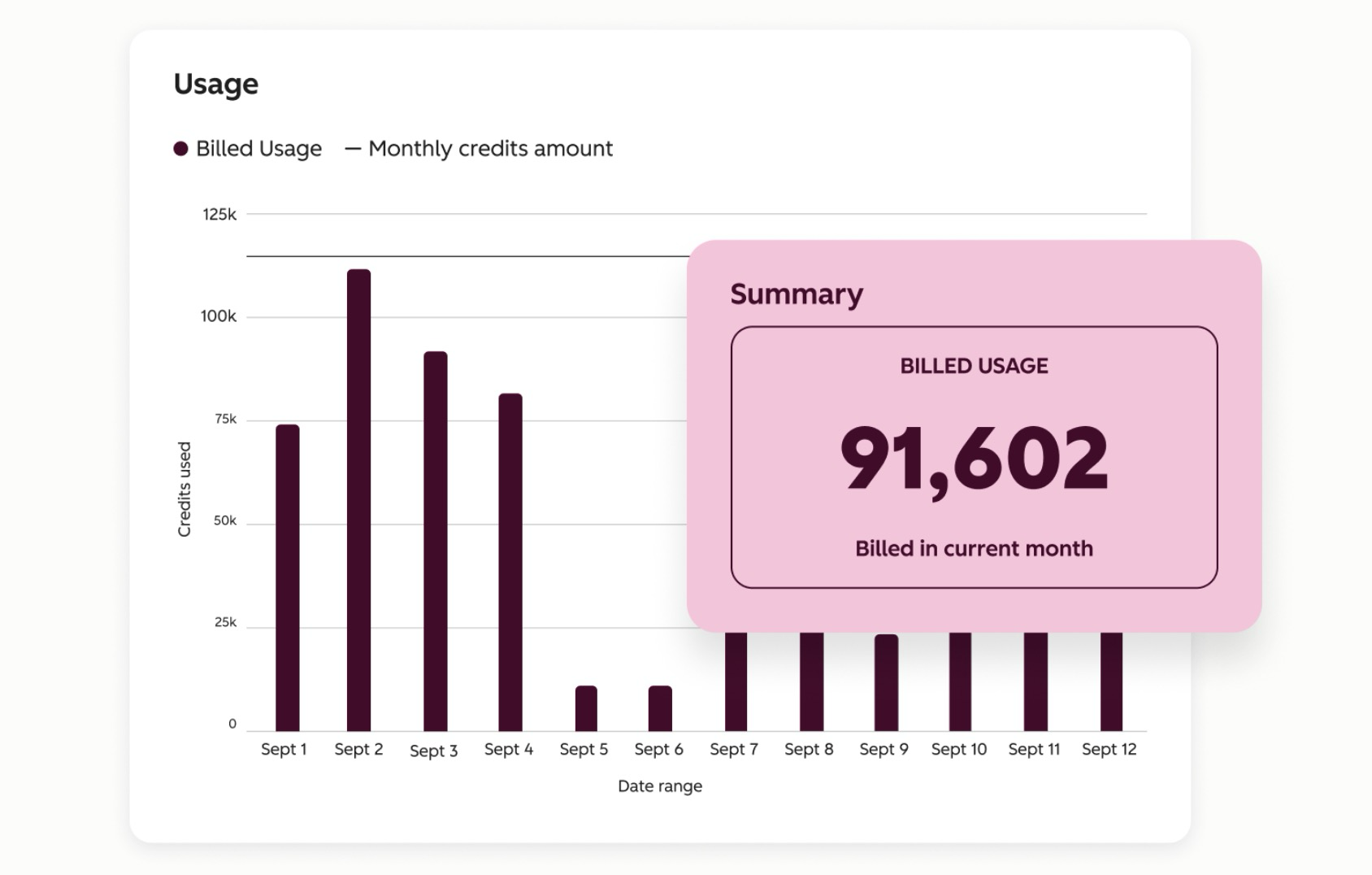
- Alerts. Billing contacts and Super Admins get notified at 75%, 85% and 90% of usage, and again when the limit is exceeded.
You'll find usage under Account & Billing, then Usage & Limits, then the HubSpot Credits tab. It shows your monthly allocation, past usage and a breakdown by feature.
How to Forecast Credits Before You Turn an Agent On
The math is simple, and almost nobody does it first.
For each agent, write down what it charges for (the table above), then estimate how many of those happen in a month. Resolved chats per month. New leads that would get outreach. Records in the segment you'd run a Data Agent prompt across. Invoices that go past due. Multiply by the credits per action from HubSpot's catalog, and you have a forecast you can hold a pilot to.
For custom agents, run a few tests in Agent Builder, then open the run history. HubSpot shows the estimated credits for each run there, and says those estimates are for information only. That's still the best number you'll have before launch.
Then set a feature limit at the forecast, not above it. If the agent hits the cap, you learn something about your volume. That's a much cheaper lesson than an invoice.
What to Do First
Open the HubSpot Credits tab in your account today and answer three questions. How many credits does your plan include each month? Are you on pay-as-you-go or auto-upgrade? Are any feature limits set?
If you can't answer all three, don't switch on another agent until you can.
Credits are one piece of how Agent Hub works. Here's the full breakdown of HubSpot Agent Hub, and if you want a credit forecast built for your portal, see how we set up HubSpot Agent Hub.
Budget for what each agent does, not for "credits." The bill follows the work.
FAQs