Table of Contents
Connect Claude to HubSpot in four steps, lock down the permissions before anyone uses it, and give it the jobs that need more than one system.
Before any AI tool touches a client's CRM, we want three answers. What can it read? What can it change? Where's the record of what it did?
For HubSpot's official connector for Claude, the answers are good. Claude reads what each user's HubSpot permissions allow, it can create and update records but never delete them, and every create and update lands in HubSpot's Audit Log. Setup takes a Super Admin's approval and four steps in Claude. The work is in the settings you choose before your team starts using it.
What Is the HubSpot Connector for Claude?

It's HubSpot's own integration for bringing HubSpot context into Claude. HubSpot's connector documentation says it supports AI insights from HubSpot records, creating and updating CRM records, logging activities and analyzing marketing email performance.
Under the hood it runs on HubSpot's remote MCP server. HubSpot's developer documentation describes that server as a hosted endpoint for connecting external AI tools to HubSpot's CRM, and says HubSpot's connectors for Claude, Microsoft Copilot, Gemini and ChatGPT are all powered by it. Authentication is OAuth, so nobody pastes API keys into a chat window.
What you need:
- A HubSpot user account. HubSpot lists the connector as available on all products and plans
- A paid Claude plan: Pro, Max, Team or Enterprise
- Approval from a Super Admin, unless you're a Super Admin or have App Marketplace Access
It works in Claude on web, desktop and mobile.
How to Connect Claude to HubSpot
From HubSpot's documentation, in order:
- Get approval. Super Admins and users with App Marketplace Access can connect directly. Everyone else needs a Super Admin to approve the connector first.
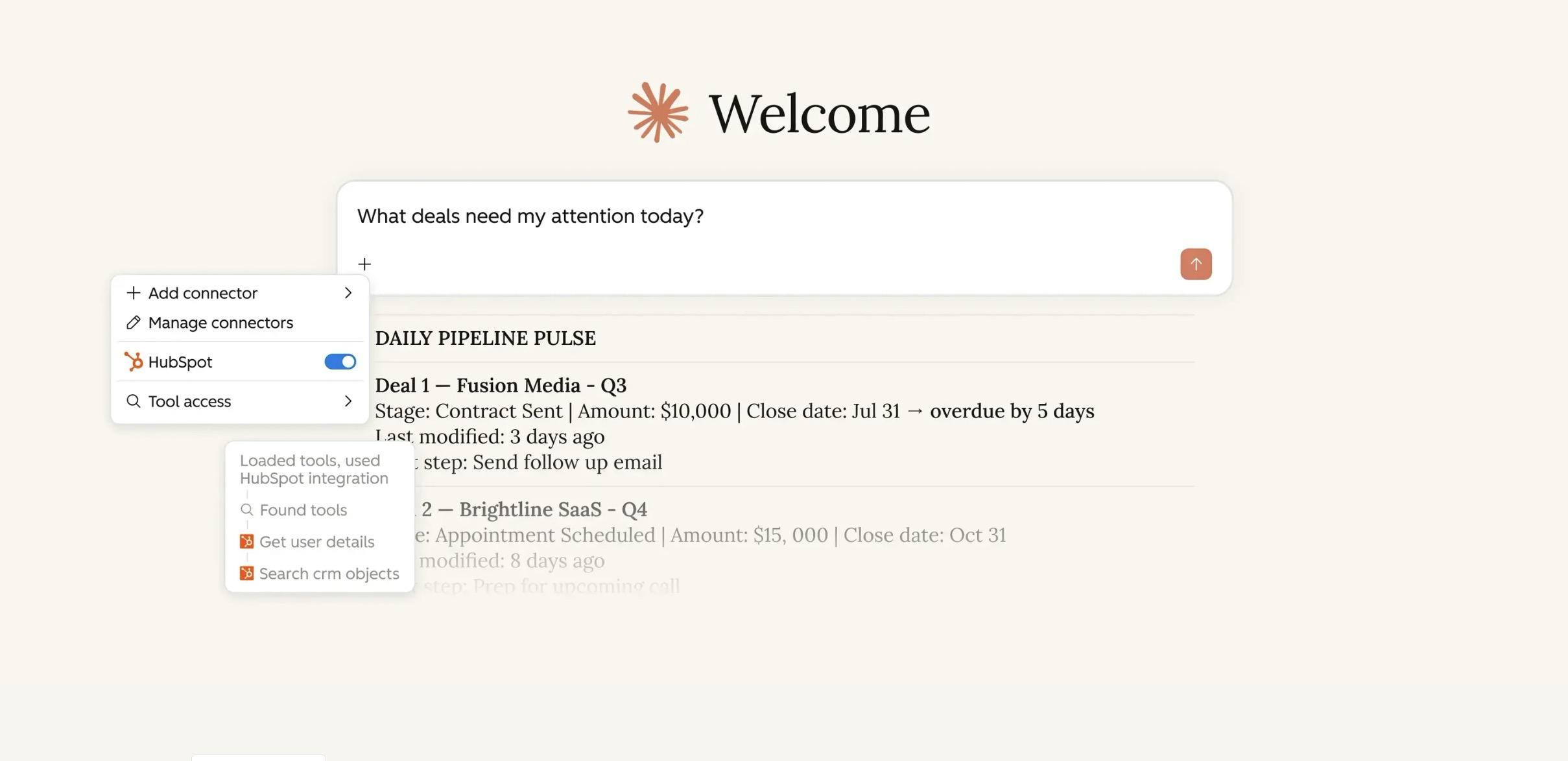
- In Claude, click your profile icon, then Settings, then Connectors, then Browse. Search for HubSpot, click Connect and log in to HubSpot.
- On the HubSpot permissions page, choose what to allow and click Connect app.
- In a Claude chat, click the + button, open Connectors and toggle HubSpot on.
That's the whole install. Step 3 is the one that deserves a meeting.
What Claude Can Read, Create and Update in HubSpot
Access depends on the permissions a Super Admin approves and on each user's own HubSpot permissions. HubSpot's documentation lists the object coverage:
|
Access |
HubSpot objects |
|---|---|
|
Read, create and update |
Contacts, leads, companies, deals, tickets, custom objects, landing pages, website pages, blog posts, marketing emails, segments, line items, products, calls, meetings, notes, tasks, emails, pipelines |
|
Read and create |
Campaigns, marketing events, properties |
|
Create and update (beta) |
Quotes and quote templates |
|
Read only |
Invoices, orders, carts, payments, subscriptions, conversations, users, teams, AEO, buyer intent, saved reports |
|
Delete |
Not supported for any object |
The last row is the one I like most. Claude can't remove data from your CRM. Anything deleted has to be deleted by a person, in HubSpot.
What the Connector Can't Do
These limits come straight from HubSpot's documentation, and each one changes how you'd use it:
- Claude creates or updates up to 10 records at a time. It's not a bulk import tool.
- A Claude account connects to one HubSpot account at a time.
- If Sensitive Data is turned on in your HubSpot account, Claude can't access engagement data, and custom sensitive properties are excluded.
- Email and workflow content comes back as drafts for you to build in HubSpot.
- Everything runs inside HubSpot's API usage limits.
- Property rules and pipeline stage validations still apply, so Claude can't push a deal into a stage your pipeline doesn't allow.
On data handling, HubSpot's documentation says requests are routed through your account's data center, such as the EU data center for EU-hosted accounts, and that Anthropic doesn't use data shared through HubSpot to train its models except in certain instances, with retention following your Anthropic plan terms.
Settings to Change Before Anyone Uses It
The default install works. These four settings make it something you'd let a whole sales team use.
Set write tools to "Needs Approval." HubSpot recommends it. Claude then asks before it changes a record. Keep it on until your team has a feel for what Claude does with an instruction like "update the deal."
Approve the narrowest permissions that do the job. The Super Admin picks which data the connector can reach. If nobody needs Claude touching marketing emails yet, don't grant it. Adding new objects later means updating the permissions and having each user reconnect, which is a small price for starting tight.
Block outside Claude accounts. On Enterprise, HubSpot lets admins block connections from Claude accounts outside the organization, using email addresses on a verified domain. Turn this on if anyone on the team has a personal Claude account.
Know where to look afterward. Create and update actions show up in HubSpot's Audit Log, attributed to both the user and the Claude connector. Super Admins can also see who connected or reconnected it and when.
What to Use Claude With HubSpot For
The connector is strongest where a question spans records, or where the answer has to become a document. HubSpot's own suggested prompts make the point well:
- Track how long contacts spend in each lifecycle stage over the last quarter
- Find which campaign generated the most revenue last month
- Summarize active deals by name, amount and stage, sorted by close date
- List open tickets assigned to a rep, sorted by priority
- Create a follow-up task for a contract renewal on a specific date
Add Claude's other connectors and it gets more useful. Claude can pull the deal from HubSpot and the contract from your document library in the same conversation, which no single HubSpot report does.
The short version: a HubSpot agent runs the same job every time something happens. Claude answers the question you didn't know you'd have until Tuesday.
When a HubSpot Agent Is the Better Choice
Claude in a chat window waits for someone to ask. If the job should run every time a lead comes in, a deal changes stage or a ticket opens, that's a workflow or a HubSpot agent, not Claude.
The same goes for volume. Ten records per write is fine for a rep updating their pipeline. It's the wrong tool for enriching a database, which is a Data Agent job.
If you want an agent inside HubSpot that reaches your other systems on its own, that's Agent Builder with an MCP server, which is a different setup.
What to Do First
Have your Super Admin connect it with read access only, for one team, for one week. Ask that team to bring every question they'd normally build a report for. At the end of the week you'll know which jobs belong in Claude, which belong in an agent, and which permissions to add.
For how Claude fits next to HubSpot's own agents, see the full breakdown of HubSpot Agent Hub. If you want the connector set up with permissions and team prompts, here's how we set up HubSpot Agent Hub and Claude.
FAQs