Table of Contents
- 1.First, What Agent Hub Actually Is
- 2.Workflows Follow Rules. Agents Interpret
- 3.The Real Unlock Is Custom Agents
- 4.So What’s Claude Have To Do With It?
- 5.What This Looks Like in Practice
- 6.Your Prospects Feel It, Too
- 7.The Tools Don't Lead. People Do.
- 8.Walk Before You Run
- 9.Why ATAK is Uniquely Fit
- 10.FAQs
Your CRM has always been a fantastic record keeper.
It knows every deal you have ever worked. Every email that got opened. Every call that got logged, every form that got filled out, every customer who went quiet in March and ignored all of your emails until finally coming back in June.
Over a decade ago, CRMs picked up automation, so marketing and sales teams could finally deliver the right message to the right person at the right time. But somebody still had to sit down and build every one of those workflows by hand, and every one of them followed rules you wrote in advance.
On July 23, HubSpot changed that. And if you are running both HubSpot and Claude, this update opens up a world of possibilities.
First, What Agent Hub Actually Is
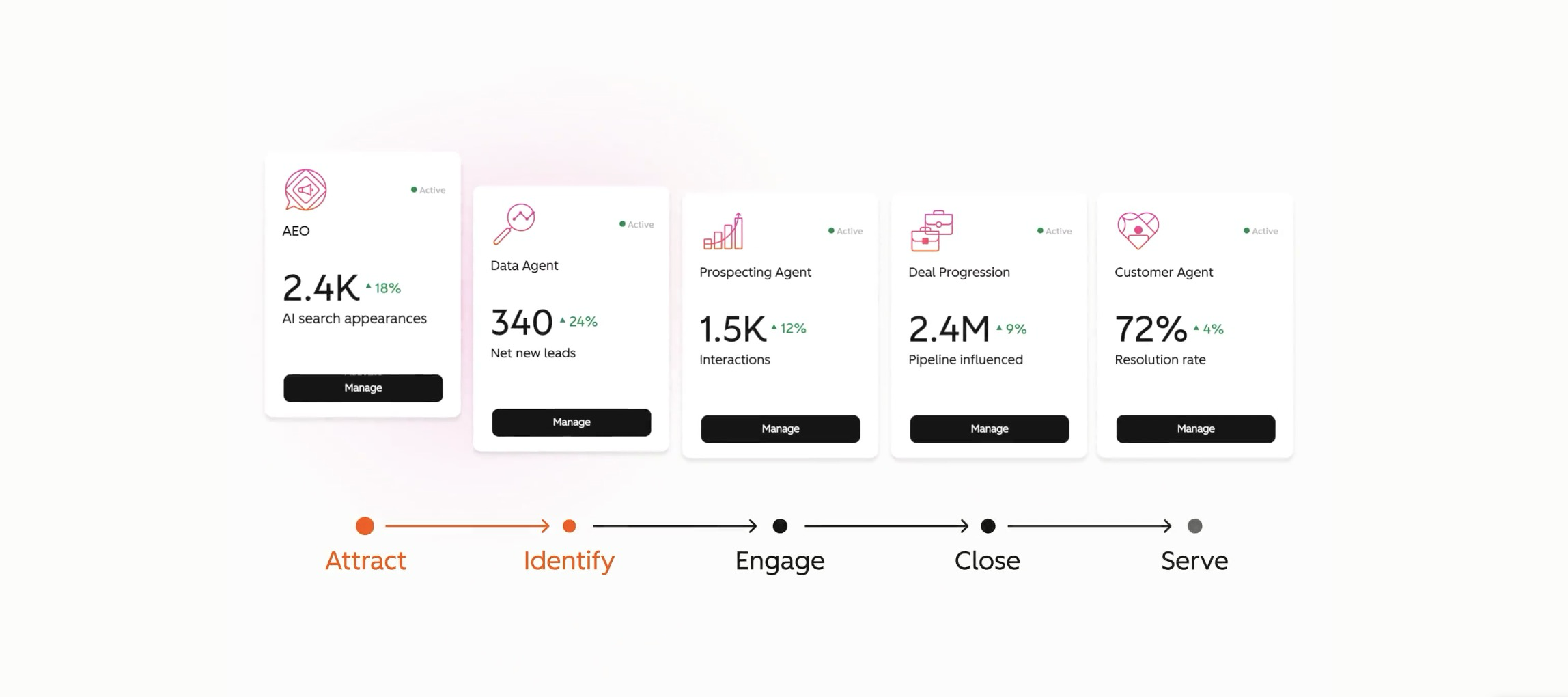
Agent Hub is HubSpot's new home for AI agents. One workspace where you find them, turn them on, watch what they are producing, and control what they are allowed to touch. It is in public beta for Professional and Enterprise customers, and you will find it in your portal under More, then Breeze, then Agent Hub.
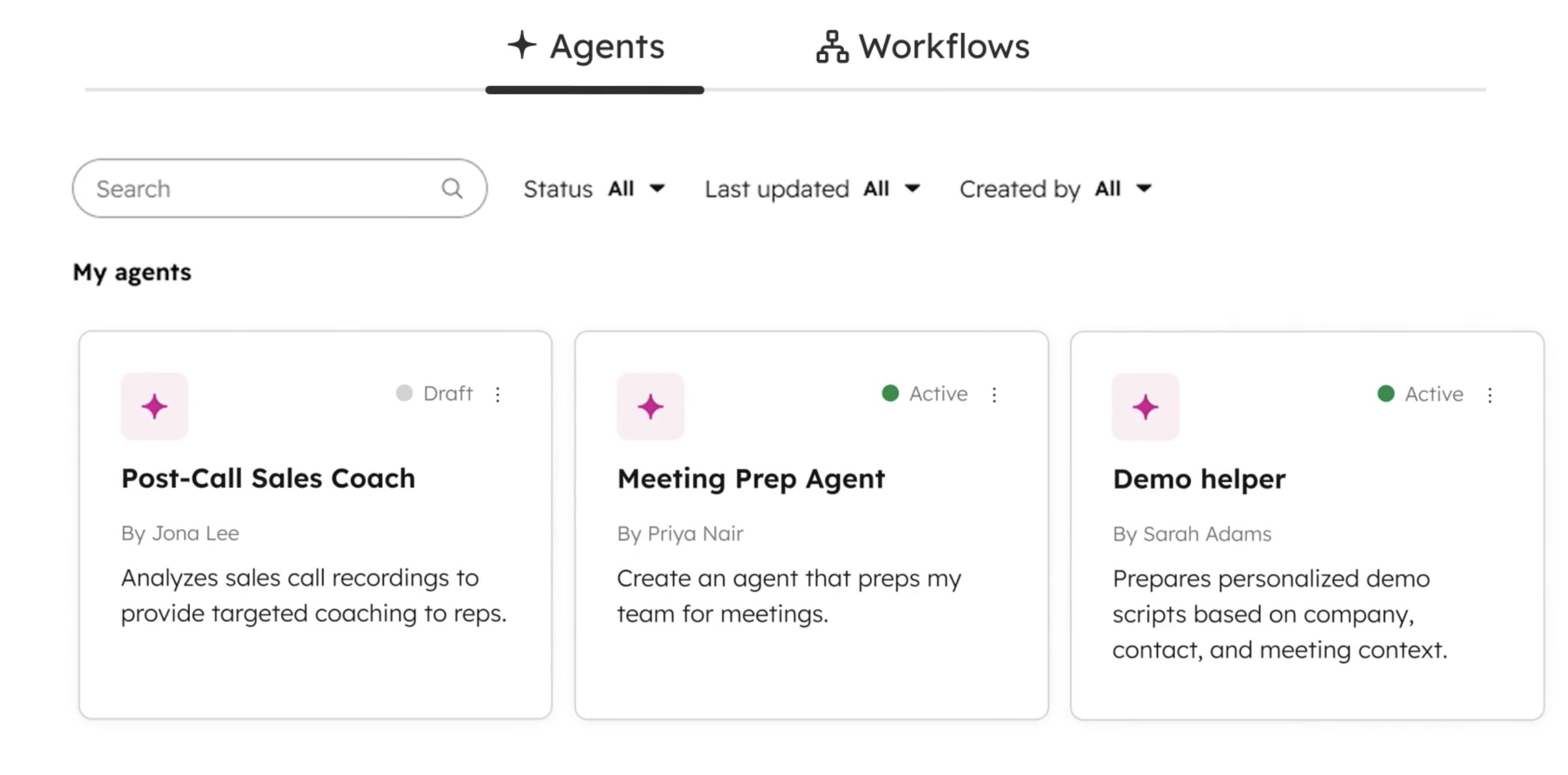
Inside it is Agent Builder, which is the part that matters most. Agent Builder is where you create your own agents instead of only using the ones HubSpot ships.
TLDR: your team can now delegate a workflow to an autonomous agent instead of writing that workflow manually.
If you have been running a Prospecting Agent here and a Customer Agent there, you already know they had no idea the other one existed. Agent Hub puts all of them in one place with shared customer context and actual visibility into what they are doing. That alone is worth your afternoon.
Workflows Follow Rules. Agents Interpret.
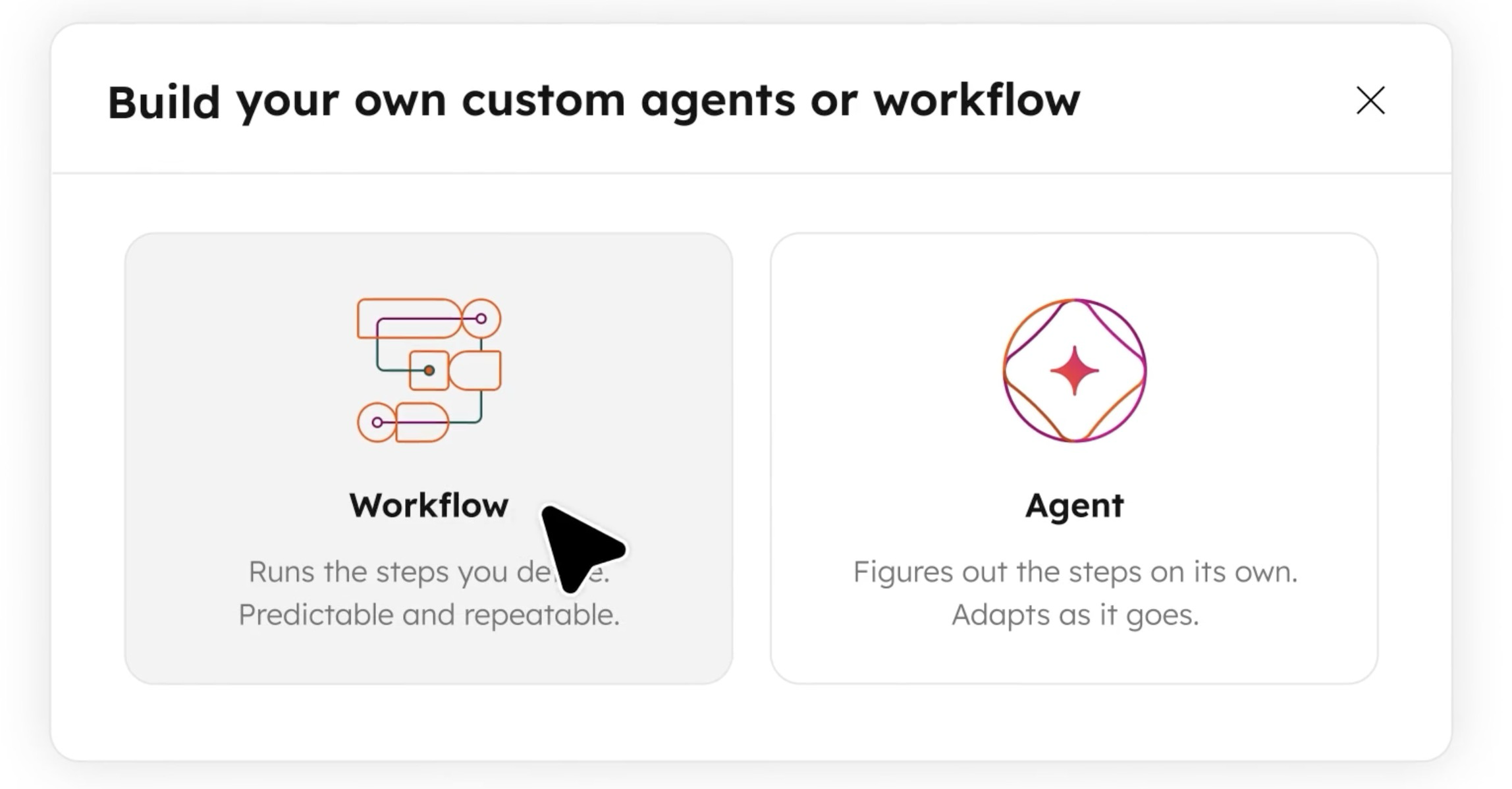
This is the cleanest way to understand what changed.
A workflow follows rules. When a deal hits Closed Won, create an onboarding task. You knew the trigger and you knew the action before you built it, which is why you could build it.
An agent interprets. Read the last call, figure out what the customer is actually worried about, recommend what to do about it. You cannot write that as a rule, because the answer is different every single time.
Most of what your revenue team does all day is the second kind of work. That is the whole reason this release matters.
And here is the part the hot takes are getting wrong. The shift is not that triggers got more exotic. It is that the work stopped needing a human to start it. Before, somebody had to open the tool and ask, or schedule a check, or just remember to look. Now something happens in HubSpot and the agent goes. You set it up once and it keeps running.
The Real Unlock Is Custom Agents
HubSpot has shipped prebuilt agents for a while now. Prospecting, customer service, content. They are useful and plenty of teams are already getting value out of them.
But they do what HubSpot decided they should do, in the way HubSpot decided to do it.
Agent Builder is different because you build the agent. Your process, your instructions, your rules, your definition of done. And you can do it without writing code, which means your ops person can build it on a Tuesday instead of filing a ticket and waiting a quarter.
That is the actual headline. Not "HubSpot has agents now." You can finally build your own.
So What’s Claude Have To Do With It?

Fair question, and it is the one we get often. A custom HubSpot agent runs on four things: your instructions, your CRM context, business knowledge you load into the portal, and the tools you let it use. You can give it product information, internal process docs, and policies. It can read records, update records, and browse the web. A human approval step can sit in front of anything sensitive.
That covers real ground. So use it. If the job only needs what is already in HubSpot, build it in HubSpot.
Here is where it runs out of road.
Anything outside HubSpot needs a developer. This is the big one, and HubSpot's own partner ecosystem is direct about it. Custom API connections, company-specific integrations, external business applications, and reusable agent tools all require development work. The builder is no-code. The plumbing behind it is not. Claude already talks to those systems through MCP, so the contract in Drive, the thread in Slack, the usage data in your warehouse, and the ticket in your PM tool are reachable today, without a build.
Your business knowledge has to be moved in and kept current. Whatever you load into HubSpot is a copy. Somebody owns keeping it accurate, and in practice nobody does. Meanwhile your actual pricing logic, your positioning, your objection language, and your service catalog live in documents your team edits every week. Claude works from the live source instead of a snapshot somebody pasted in during onboarding.
Some work has no HubSpot action at all. A real proposal in your branded template. SOW language. A spreadsheet model. A document your client actually opens. Agent Builder can only fire the actions HubSpot ships, and building a real deliverable is not one of them.
And what you build in Claude compounds. Every skill you set up becomes available to the next agent you build. Your team's knowledge accumulates instead of getting re-pasted into a portal every time somebody makes a new agent.
So the stack looks like this. Workflows follow your rules. HubSpot's agents interpret your CRM. Claude interprets your business.
The test we give clients: does this job need anything that is not in HubSpot, or anything HubSpot has no button for? If no, build it natively and save your money. If yes, that is your handoff.
What This Looks Like in Practice
Four examples. Every one of them needs both halves, which is the point.
The proposal that writes its own first draft. A discovery call ends. HubSpot's agent interprets the call and picks out the scope, the timeline, and the budget signals. Then it hands off, and Claude builds an actual first-pass proposal in your template, with your service descriptions and your pricing logic applied, and drops it back on the deal. The rep spends 15 minutes editing instead of 90 minutes building. HubSpot has no action that produces your document. Claude does.
The pre-call brief that read everything, not just the CRM. A rep has a call in ten minutes and is skimming the deal record hoping nothing embarrassing is buried somewhere. Now she gets one page assembled from the CRM, plus the signed contract in Drive, plus the Slack thread where your delivery team flagged a scope concern last month. Natively, reaching those last two means a developer building custom tools. Through Claude, it is Tuesday.
The lead that gets qualified against your real criteria. A form comes in at 9:40 on a Sunday night. Instead of a generic fit score, it gets weighed against your actual ICP definition and the patterns in your closed-won history, both of which live in documents, not properties. By Monday morning there is a draft that leads with the right one of your five service lines, in your voice, because your positioning doc was in the room.
The renewal risk that knows whether they actually used the thing. Sixty days out, somebody normally pulls a list and starts guessing. Now product usage from outside HubSpot gets weighed against your own definition of healthy adoption for that specific package, cross-referenced with support history, and turned into a real risk call before it hits anyone's calendar.
Notice what these have in common. HubSpot supplies the trigger and the customer. Claude supplies the reach and the output. Neither half gets there alone.
Your Prospects Feel It, Too
This is the part almost nobody talks about, and it is the best argument in the whole story.
Every one of those plays makes life better for the person on the other end of your sales process.
They stop getting emails that clearly went to four thousand people. They get contacted when they are actually thinking about you instead of eleven days later. When they ask a question, they get an answer in minutes instead of waiting for someone to check with someone. They never have to explain their situation twice because the last three conversations vanished into a rep's notebook. And when they are ready to buy, the proposal shows up while they still care.
Nobody has ever complained about a company being too responsive or too well prepared. Buyers do not resent this stuff. They notice it, and they compare you favorably to the three competitors who took a week to respond with a template.
That is the sale. Not "we use AI." It is "we will be easy to work with, and here is the proof, starting right now."
But pay attention to what the buyer is actually responding to. It is not the automation. It is the feeling that somebody over there knows them and is paying attention. That is a relationship, and relationships do not get run by software.
The Tools Don't Lead. People Do.
Which is exactly where most companies are going to blow this.
None of what I described replaces a salesperson. Every example above ends with a human making the call. The lead gets researched, and a rep decides whether to call. The proposal gets drafted, and a rep decides whether it is any good before it goes out. The renewal risk gets flagged, and a human decides how to handle the relationship.
That is not a limitation. That is the design. HubSpot built approval steps into Agent Builder on purpose, so agents wait for a person until your team decides they have earned more rope. They know what happens to a brand when a machine is allowed to talk to customers unsupervised.
There is a second version of this mistake that is quieter and more expensive. If you hand an agent a process your team has never actually defined, you do not get automation. You get your existing mess moving faster. Ask an agent to update the next step on every deal and you will immediately discover that nobody at your company agrees on what a valid next step is. The agent will not settle that argument for you. It will just make the argument scale.
The teams that win here will not be the ones who turn on the most agents. They will be the ones who are clearest about which judgment calls belong to people. Your reps' judgment is the scarce resource. All this technology does is stop wasting it on research and data entry so there is more of it left for the conversation that closes the deal.
Point the tools at the busywork. Keep the thinking.
Walk Before You Run
Three things to know before you start building.
- It is a public beta and it requires Professional or Enterprise. If you are on Starter, this is your next upgrade conversation.
- Agent runs consume HubSpot Credits, and the math changes at volume. A workflow you fire a hundred times a month and one you fire ten thousand times a month are different decisions. Worth modeling before you build, not after.
- Your output is only as good as the data and instructions underneath it. Agents inherit whatever your CRM already is. If your properties are inconsistent and your definitions are fuzzy, fix that first, because no agent is going to fix it for you.
None of that makes this a six month project. Pick a few moments and get to work.
Why ATAK is Uniquely Fit
ATAK is a HubSpot Platinum Partner and an Anthropic partner. We live on both sides of this, which means we are less interested in explaining the release notes to you and more interested in figuring out what your sales team needs built first.
The hard part is not developing the agent. Agent Builder made that easy. The hard part is deciding what your agents need to know about your business, and getting that knowledge out of your team's heads and into a form these tools can actually use. That is the work most companies skip, and it is the reason their agents end up impressive in a demo and useless in a quarter.
If you are running a HubSpot portal and wondering where to start, or you have a customer asking what all of this actually means for them, reach out.
Happy to walk you through it :)
FAQs