Table of Contents
- 1.What's the Difference Between a Workflow and an AI Agent?
- 2.The Question Everyone Asks, and the Better One
- 3.A Five-Question Test for Workflow or Agent
- 4.Where AI Agents Earn Their Credits
- 5.Where AI Agents Become a Distraction
- 6.The Hybrid: A Workflow With One Agent Step
- 7.How to Run a Small Version
- 8.Before Adding Agents
- 9.FAQs
HubSpot Workflows vs AI Agents: Which Job Needs Which
Every HubSpot release now leads with agents. Agent Hub, Agent Builder, a prebuilt agent for nearly every team. And the pressure that follows is predictable: replace the old automation with something smarter.
Most of that automation shouldn't be replaced. A HubSpot workflow is the right tool when the decision can be written as a rule. An AI agent is the right tool when the decision depends on context that changes every time, like free-text form answers, call notes or a company's website. Workflows don't use HubSpot Credits. Agents do. The test below sorts one from the other.
What's the Difference Between a Workflow and an AI Agent?
The terms get used loosely, so it helps to pin them down first.
HubSpot workflow. An automation that runs the steps you define when its conditions are met. It does the same thing every time. According to HubSpot's AI page, workflows don't consume HubSpot Credits.
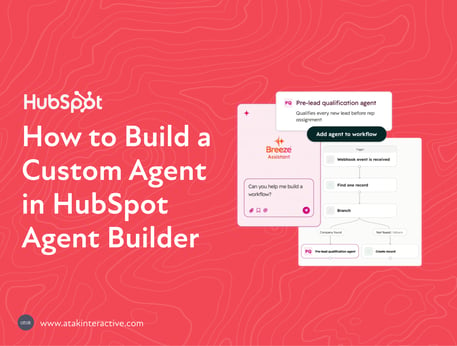
AI agent. An AI tool that reads context, decides what to do within the limits you set, and acts. HubSpot offers prebuilt agents and custom agents built in Agent Builder. Custom agents use credits when they think, take actions or generate content, per HubSpot's Agent Builder documentation.
Run Agent action. A workflow step that sends data to an agent and gets an answer back. HubSpot's documentation lists it as beta, available in Professional and Enterprise, and capped at 500 executions per day. It can return a text response or structured outputs like a number, date, true or false, or a choice from a list, which later workflow steps can use.
That last one matters more than it looks. It means the choice isn't always workflow or agent. Often it's a workflow with one agent step inside it.
The Question Everyone Asks, and the Better One
The common question is "Which of our workflows should become agents?"
The better question is "Which decisions in this process can be written down?"
Every process is a chain of small decisions. Some are rules: if the state is Texas, assign to the Central team. Some are judgment: is this inbound request a real buying signal or a student doing research? Rules belong in workflows. Judgment is where an agent earns its credits. Most processes have both, and the decision about tools happens one step at a time, not one process at a time.
A Five-Question Test for Workflow or Agent
Run each step in the process through these questions.
- Can the decision be written as a rule? If someone on the team can write it as if-this-then-that without exceptions, it's a workflow. Stop here.
- Does the input change shape every time? Dropdowns and dates don't. Free-text answers, call transcripts, emails and websites do. Changing inputs point toward an agent.
- What does a wrong answer cost? If a wrong answer means an embarrassing email to a top prospect or a compliance problem, either keep a person in the loop or keep it a rule.
- How often does it run? A step that runs on every new contact runs every time a contact is created. Multiply that by the credits per run before deciding the judgment is worth it.
- Who checks the output? If nobody owns reviewing what the agent decides, at least at first, it isn't ready for an agent.
If a step passes questions two through five, it's a good agent candidate. If it fails question one, it never needed an agent.
Where AI Agents Earn Their Credits
Agents fit steps where the answer depends on reading something a rule can't parse.
- Qualifying free-text inbound. A "How can we help?" field that every visitor fills in differently.
- Researching an account before outreach. Reading a company's site and recent news to decide what matters.
- Summarizing conversations. Pulling the pain points out of a call transcript or an email thread.
- Drafting first versions. A reply, a brief, a follow-up that a person then edits.
In each case, the alternative to the agent isn't a workflow. It's a person doing the reading by hand, or nobody doing it at all.
Where AI Agents Become a Distraction
This section matters more than the one above it.
- Routing by territory, size or product. These are rules. A workflow does them for free and never gets them wrong.
- Lifecycle stage updates. If your stages have clear entry criteria, a workflow applies them consistently. If they don't, an agent won't fix that. It'll apply unclear criteria at scale.
- Date-based tasks and reminders. Renewal in 90 days, follow-up in a week. No judgment involved.
- High-volume, low-stakes steps. Anything that runs on every record and could be a rule is the fastest way to spend a month of credits on nothing.
- Processes built on inconsistent data. If deal stages mean different things to different reps, an agent reading those stages inherits the inconsistency. Fix the data first.
A useful rule: if the honest reason for using an agent is "it's newer," use the workflow.
The Hybrid: A Workflow With One Agent Step
The strongest setups usually aren't either-or. They're a workflow that handles every rule, with a single Run Agent step at the one point that needs judgment.
An illustration of the shape: a form submission triggers a workflow. The workflow handles the rules, like dedupe, owner by territory and lifecycle stage. One Run Agent step reads the free-text answer and returns a structured output, "sales-ready" or "nurture." The workflow branches on that output. Everything before and after the agent step costs nothing and behaves the same way every time.
This keeps the credits on the one decision that needs them, and it keeps the rest of the process predictable and easy to audit.
How to Run a Small Version
- Pick one process where a person currently makes a judgment call by hand.
- Map every step and mark each one rule or judgment.
- Build the rules as a workflow. Add one Run Agent step for the judgment, with a structured output.
- Run it alongside the person for two weeks and compare their call to the agent's on the same records.
- Keep the agent step only if it agrees with the person on the cases that matter, and the credits per month fit the budget.
If the comparison shows the agent and the person disagree often, the problem is usually the instructions or the data, not the agent.
Before Adding Agents
If a team can't say which steps in a process are rules and which are judgment, that mapping is the priority. Not agents.
For how workflows, agents, credits and Agent Builder fit together, see the full breakdown of HubSpot Agent Hub.
Automation that follows rules should stay rules. Agents are for the parts that never could be.
FAQs
What's the difference between a HubSpot workflow and an AI agent?
A HubSpot workflow runs the steps you define, the same way every time, when its conditions are met. An AI agent reads context and decides what to do within limits you set. Workflows don't use HubSpot Credits. Custom agents do.
Should I replace my HubSpot workflows with AI agents?
Usually not. Any step that can be written as a rule belongs in a workflow, which runs for free and never varies. Agents fit the specific steps that need judgment, like reading free-text answers or call notes.
Can a HubSpot workflow run an AI agent?
Yes. The Run Agent workflow action, in beta for Professional and Enterprise, sends data to an agent and returns a text response or structured outputs that later workflow steps can use. HubSpot caps it at 500 executions per day.
Do HubSpot workflows use credits?
No. HubSpot says workflows don't consume HubSpot Credits. Custom agents built in Agent Builder do, and so does an agent run from a workflow.
When is an AI agent the wrong choice in HubSpot?
When the decision is a rule, like routing by territory or date-based reminders. When it runs at high volume with low stakes. And when the data it would read is inconsistent, because the agent will apply that inconsistency at scale.
How do I test whether an agent beats a workflow?
Build the rules as a workflow, add one Run Agent step for the judgment call, and run it next to the person who makes that call today. Compare their decisions on the same records before you rely on it.