Table of Contents
- 1.What Does the HubSpot Prospecting Agent Do?
- 2.Why Reps Don't Trust It (Yet)
- 3.Step 1: Get the Right Permissions in Place
- 4.Step 2: Choose Segments Small Enough to Judge
- 5.Step 3: Write Plays Like You'd Brief a New Rep
- 6.Step 4: Set Daily Limits Your Team Can Review
- 7.Step 5: Start With Review Before Sending
- 8.When to Switch to Send Without Review
- 9.What It Costs to Run
- 10.What to Do First
- 11.FAQs
The HubSpot Prospecting Agent can watch your target accounts for buying signals, find the right people at those companies and draft personalized outreach. That's the easy part. The hard part is getting your reps to send what it writes.
Reps trust it when four setup decisions are made well: which segments it watches, which plays guide its research, how many suggestions it makes a day, and whether emails wait for a rep's approval. Get those right and reps edit a good draft. Get them wrong and reps quietly ignore the agent, and you pay credits for outreach nobody sends.
What Does the HubSpot Prospecting Agent Do?
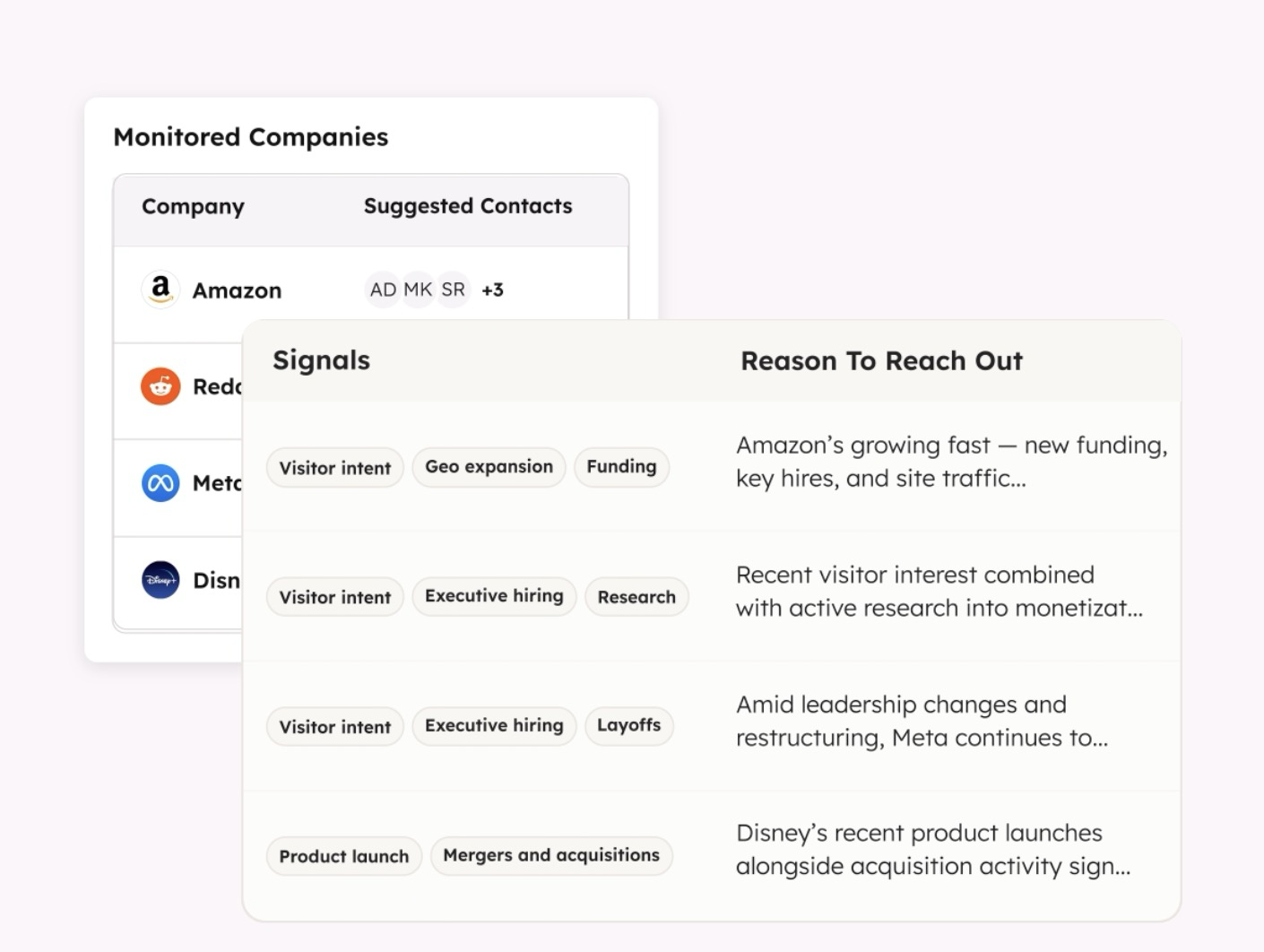
HubSpot's AI page sums it up as monitoring buying signals and launching personalized outreach automatically. HubSpot's Prospecting Agent documentation breaks that into four jobs:
- Detecting companies that match the buying signals you care about
- Researching them, guided by plays you create
- Identifying the relevant contacts at those companies
- Generating personalized outreach based on CRM data and fresh, high-intent signals
It's available in Starter, Professional and Enterprise for Marketing, Sales, Service, Data and Content Hub, with Smart CRM at Professional or Enterprise. It runs on HubSpot Credits.
Why Reps Don't Trust It (Yet)
Look at it from the prospect's side for a second. They don't know an agent wrote the email. They know a vendor reached out about a funding round, a product launch or a problem they'd been researching. If the email is relevant, it reads like a sharp rep did their homework. If it's off, it reads like spam with their name in it.
Your reps know this better than anyone, because their name is on the email. That's why they're careful, and they should be.
Here's the part most setups get wrong. Teams turn the agent on, point it at the biggest segment they have, and switch to automatic sending to save time. Then the first slightly wrong email lands with a top account, and the whole team decides the agent can't be trusted. One bad email does more damage to adoption than a long run of good ones can repair.
Step 1: Get the Right Permissions in Place
Setting up the agent requires the Super Admin role or the "Access prospecting agent" permission. Configuring plays requires prospecting agent admin permissions, per HubSpot's documentation.
Decide upfront who owns the agent. In most teams that's a sales leader or a RevOps lead, not every rep. Someone has to own the plays and the settings, or nobody will.
Step 2: Choose Segments Small Enough to Judge
The segments you select decide which companies the agent watches for signals, according to HubSpot.
Start with one tight segment your best reps already know. If the agent surfaces a company and your rep says "yes, obviously," you've learned it's reading signals well. If it surfaces companies nobody recognizes, you've learned that too, without burning credits on your whole database.
Big segments come later, once the agent has earned them.
Step 3: Write Plays Like You'd Brief a New Rep
Plays guide the agent's research. Think of them as the briefing you'd give a new hire on day one: what we sell, who it's for, what a good reason to reach out looks like, and what to stay away from.
HubSpot's documentation lists the kinds of signals the agent watches, including news like funding or product launches and research on topics you define. Your plays should say which of those matter for your business. A funding round matters a lot if you sell to fast-growing companies. It barely matters if you sell maintenance contracts to manufacturers.
Vague plays produce generic emails. Specific plays produce emails your reps would have written themselves.
Step 4: Set Daily Limits Your Team Can Review
HubSpot lets you set a daily limit on suggestions. Its documentation notes you may get fewer than your cap, because suggestions are based on companies that are showing signals.
Set the limit to what your team can read and review properly every day, not what sounds impressive in a pipeline meeting. A smaller number of emails that get sent beats a big number that sits in a queue.
Step 5: Start With Review Before Sending
HubSpot gives you two options: review emails, where a rep approves each message before it's sent, or send without review, where the agent sends based on your outreach settings alone. Reviewers get in-app notifications and can opt into a daily digest.
Start with review. Every time.
The review period isn't overhead. It's how your reps learn what the agent gets right, and how whoever owns the plays learns what to fix. Watch what reps change. If they keep rewriting the same opening line, fix the play. If they keep rejecting the same kind of company, fix the segment.
When to Switch to Send Without Review
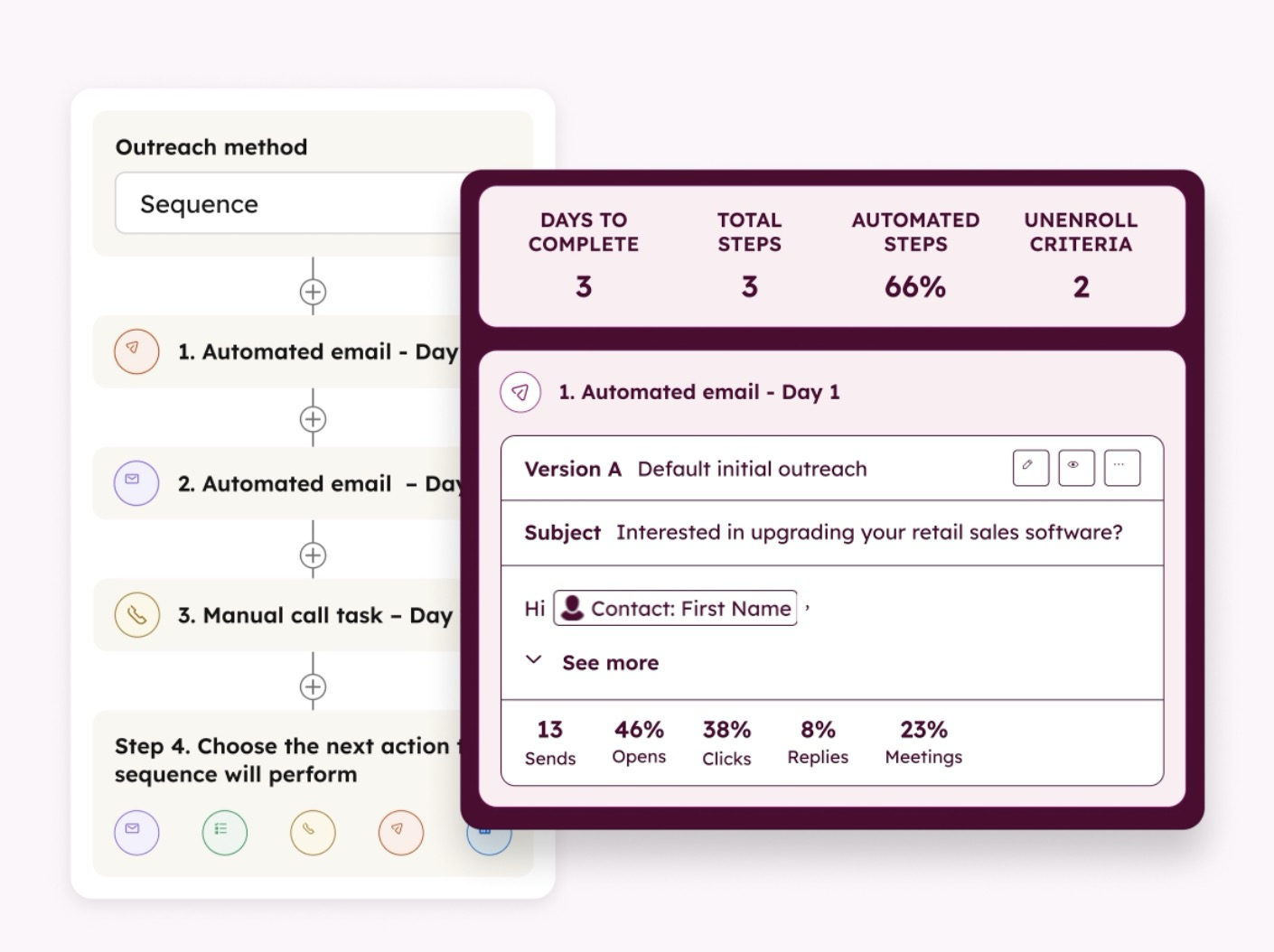
Here's my rule of thumb: switch when your reps stop editing. Not when they edit less. When most drafts go out as written for a few weeks straight, for one segment, the agent has earned automatic sending for that segment.
Keep new segments and your highest-value accounts on review even after that. The cost of a wrong email to a small account is a lost reply. The cost of a wrong email to your biggest prospect is a lost deal.
What It Costs to Run
The Prospecting Agent uses credits when it generates personalized email outreach for each lead, whether the agent recommended the lead or a user enrolled it manually, according to HubSpot. Users with billing permissions can pause credit use, and credits can't be used in sandbox accounts.
Your daily limit is effectively your credit dial. Set it, watch usage in the HubSpot Credits tab, and set a feature-level credit limit so prospecting can't eat credits your Customer Agent needs.
What to Do First
Pick your best rep and your tightest segment. Write one play together. Run the agent on review for two weeks and track one thing: how many drafts go out with light edits versus heavy rewrites. That ratio tells you whether to expand, fix the plays, or rethink the segment.
The Prospecting Agent is one part of Agent Hub. Here's the full breakdown of HubSpot Agent Hub, and if you want help setting up segments, plays and review, see how we set up HubSpot Agent Hub.
The agent writes the first draft. Your reps decide what's worth sending. Keep it that way until the drafts prove otherwise.
FAQs